Accessing Account Numbers for Funding
Updated 3 months ago
Upon successful verification, you’re able to generate USD, GBP, EUR, & AED account numbers on your Flutterwave dashboard. These accounts allow you to receive funds directly into your payout balance, which can be used for transfers.
What currencies can I create virtual bank accounts for?
You can create accounts in USD, GBP, EUR, & AED.
Is this available to everyone?
Account numbers are available to all approved Flutterwave merchants, with the exception of the prohibited categories. Click here for more information.
How do I get account numbers on my dashboard?
To get your AED, GBP, EUR, or USD accounts, follow these steps:
Log in to your Flutterwave dashboard
On the homepage, click on “Get account details”

You can also navigate to the Balances tab and click on “Fund balance” then “Via bank transfer”
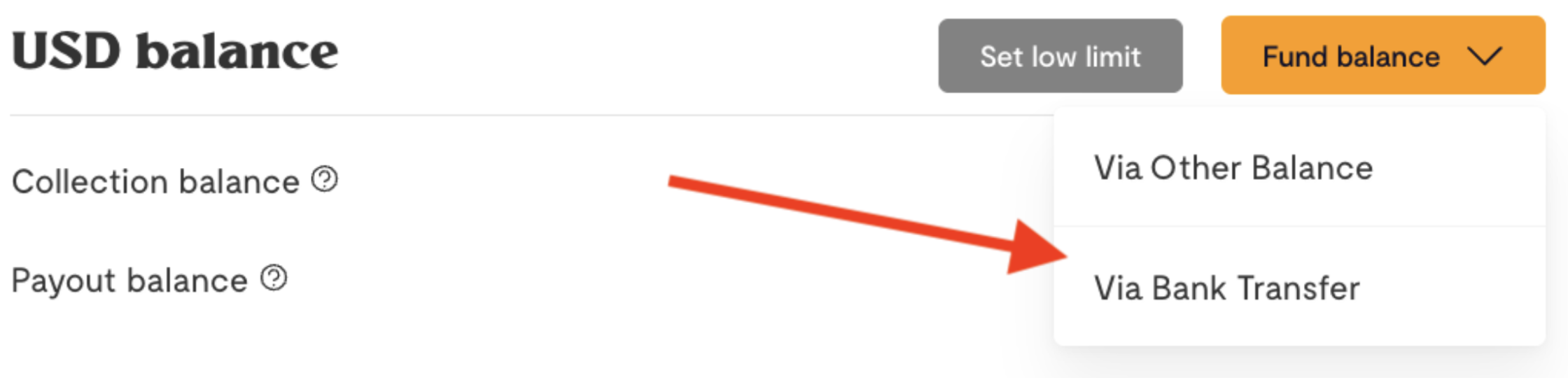
Your account numbers and other important details will be displayed. You can fund the account using those details. You can also share them with your customers, partners, or anyone who wants to send you money in that currency.
Visit this link for more information on how to enable Flutterwave treasury.
How to fund your account number
To fund your account number, follow these steps:
Log in to your Flutterwave dashboard
On the homepage, click on view account details

Your account information will be displayed to you. Copy it to fund your balance
You can also navigate to the Balances tab and click on Fund balance
Select the Balance you wish to fund - USD, GBP, EUR, or AED
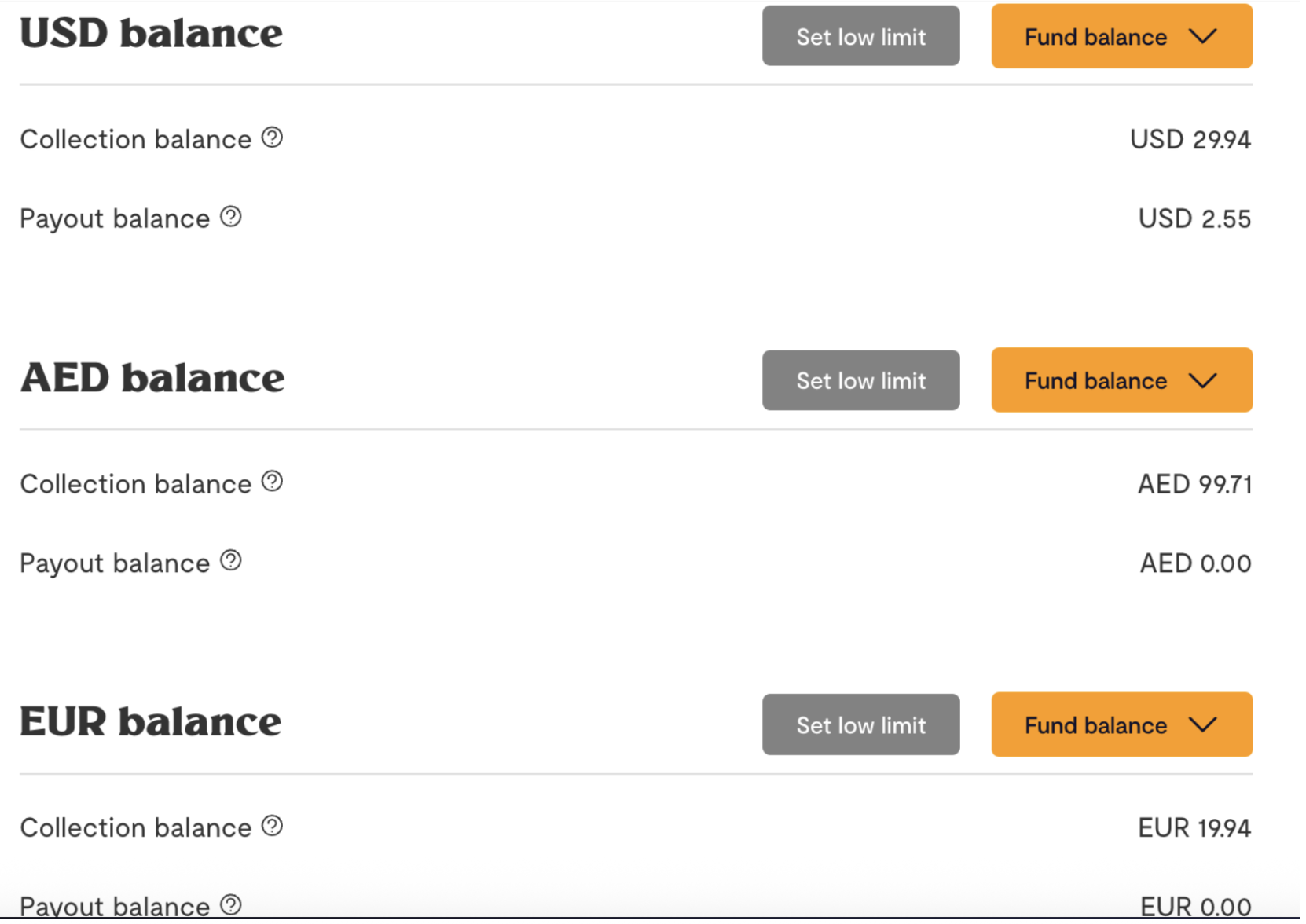
Click on Fund Balance
Select a funding methods - either via Bank Transfer or Other Balances
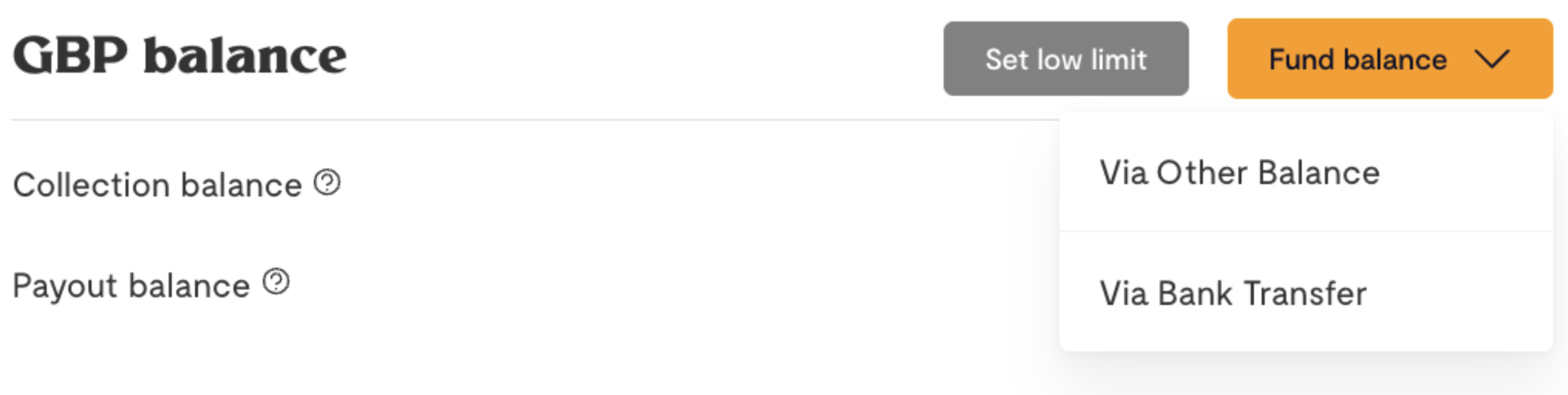
If Bank Transfer, copy the account details displayed to you and log in to your banking application to complete your payment
Can I view/download my transaction statement?
Yes, you can.
Navigate to Balance History on the Balance tab
Click on the download button to download in either CSV or PDF format

What are the supported transfer types?
The following transfer types are supported:
USD - US Wire , ACH, SWIFT transfers
GBP - Instant Bank Transfer (FPS), SWIFT transfers
EUR - EU Wire, SEPA, SWIFT transfers
AED - UAE Local Transfer, SWIFT transfers
What type of USD accounts are generated?
The USD accounts generated are Checking accounts.
How long does it take for my balance to be credited?
ACH - 24 hours
FPS - 24 hours
SEPA - 24 hours
SWIFT (International Wire Transfer) - 1 - 3 business days
If you don’t receive the funds in your balance within this timeline, please send us a message.
Are there cut-off times for the transfers?
Yes, there are cut-off times depending on the currency. Please see the table below.
Currency | Cut-Off Time |
USD | 2:00 PM EST |
GBP | 7:00 PM GMT |
EUR | 1:00 PM GMT |
AED | 7:00 PM GST |
PS: Transfers initiated to your USD, GBP, EUR, or AED account after this cut-off time will be processed the next working day.
What is the pricing for funding?
The following fees apply to each currency account:
Type | Currency | Pricing |
Domestic Transfer | AED, EUR, GBP, USD | Free |
International Wire/SWIFT | AED, EUR, GBP, USD | 0.5% with a minimum fee of $30, or its equivalent in other currencies. |
PS: SWIFT transfers of $30 or less will not be credited to your balance.
Are there any extra charges?
No, there are no extra charges for funding your account numbers.
I made a transfer but it hasn’t reflected in my balance. What should I do?
Chat with us or send us an email with a screenshot of the transaction receipt. We’ll be happy to help.
We'd like to hear from you
Suggest the type of support articles you'd like to see
Still need help?
Get in touch if you have more questions that haven’t been answered here