Refunding customers
Updated 3 weeks ago
Refunds can be processed for a variety of reasons, which include customer dissatisfaction, product/service issues, or simply an inability to fulfil the customer’s orders. You can initiate refunds easily for transactions received via Flutterwave. To initiate a refund from your Flutterwave dashboard:
1. Login to your dashboard and navigate to 'Transactions' on your Flutterwave dashboard menu.
2. Click on ‘Refunds.’ On this page, click the ‘Log a refund’ button to initiate a refund.

3. Select the type of refund you’re trying to make, whether it’s a single refund to one customer or a bulk refund.

4. Enter details of the transaction you’re trying to refund and click ‘Process refund.’
Can I initiate a partial refund?
Yes, you can now initiate a partial refund for a transaction. To do that:
Enter the transaction information
Click on ‘Make a partial refund’
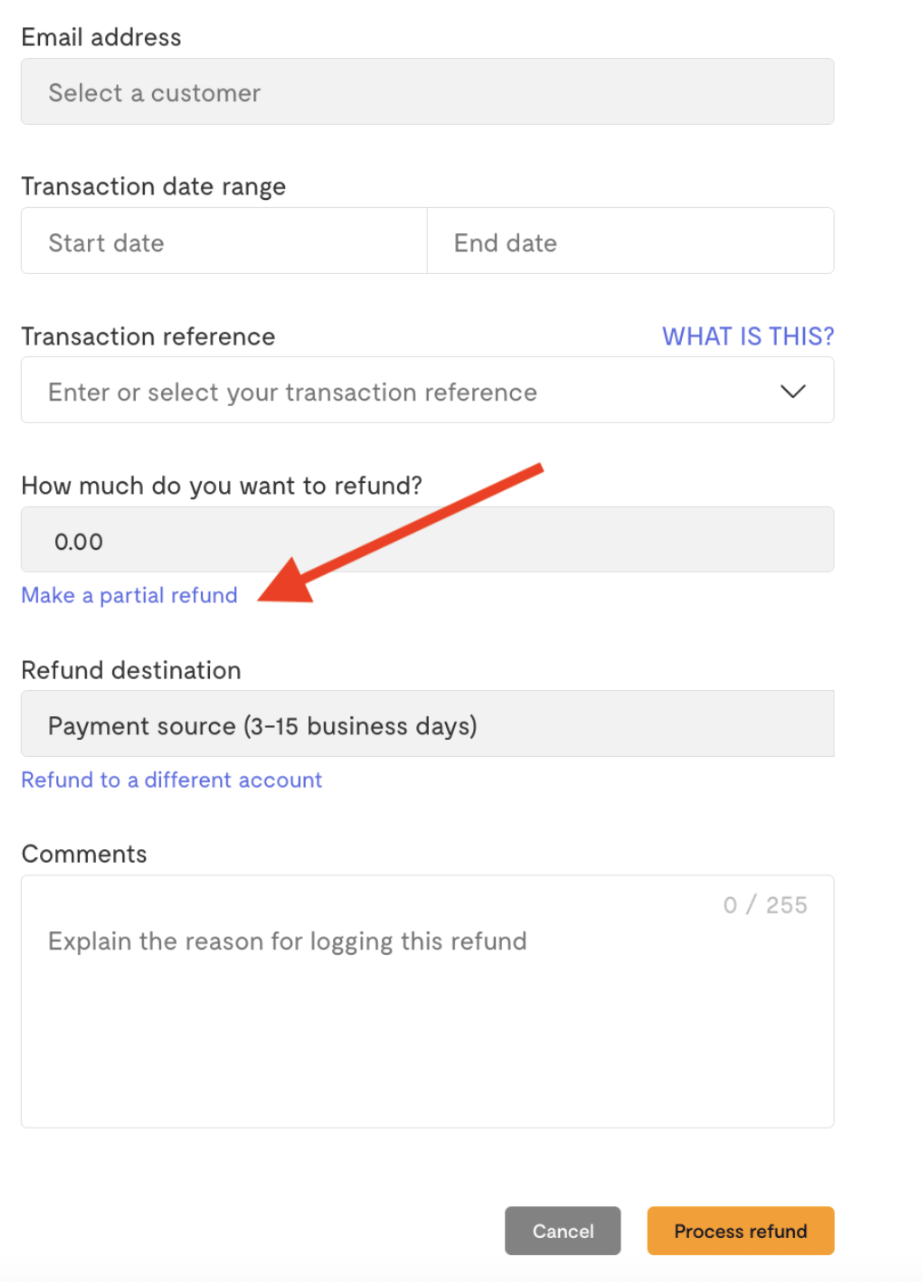
The partial refund agreement will be displayed to you.
Click 'Accept agreement' to accept the partial refund agreement. You can also choose to download the agreement for record keeping.
Once the partial refund agreement is accepted, you can now initiate partial refunds to your customers.
Enter the amount you wish to refund and click ‘Process refund.’
PS: For every partial refund you initiate, you'll be required to confirm that the customer agreed to receive the partial refund.
Why do you need to accept the partial refunds indemnity agreement?
The indemnity agreement serves as a way to remind you to notify your customers of the partial refund before initiating it, in case your customer files a chargeback with their financial institution. Signing it acknowledges that you have read, understood, and agreed to the refund amount and conditions, preventing any miscommunication or unexpected surprises.
Refund Timeline
Refund timelines depend on the payment channel. Card refunds are processed within 3-15 business days, while bank transfer refunds are processed within 24-48 business hours.
Developer note: You can also make refunds using the Flutterwave API.
We'd like to hear from you
Suggest the type of support articles you'd like to see
Still need help?
Get in touch if you have more questions that haven’t been answered here